English
Transcribe
The "Transcribe" function allows you to convert audio files into text. Speaker recognition can optionally be activated.
The following audio formats are supported: m4a, mp3, mp4, wav.
The maximum permitted size of the audio file is 350 MB.
Note:Depending on the file size and system load, transcription may take some time. However, you can continue working in other areas of AISSIST without any issues during processing.
Selecting Speaker Recognition
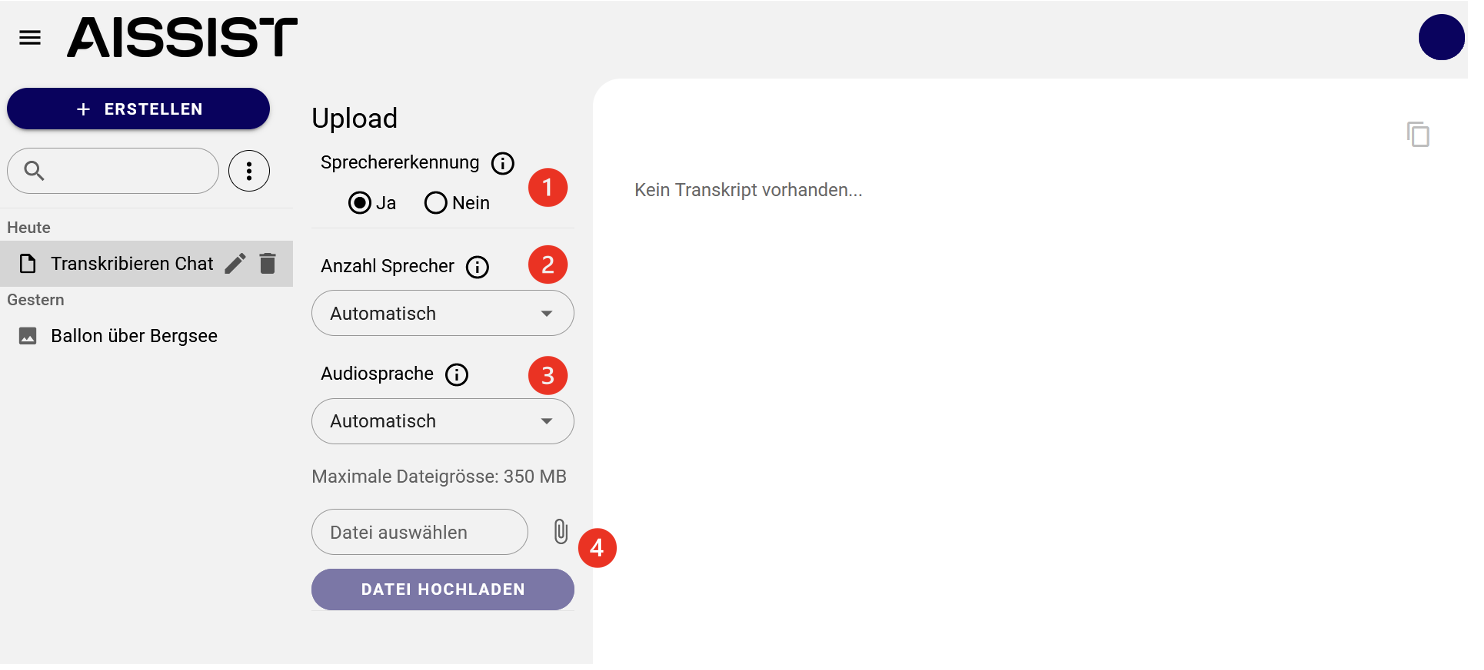
First, you must select whether speaker recognition is desired1. Speaker recognition groups the text output according to the recognised speakers.
If speaker recognition is activated, you must specify how many speakers appear in the audio file2. A maximum of six different speakers can be recognised. Please note that processing with speaker recognition activated may take a little more time.
Audio Language
If speaker recognition is activated, the language of the audio file must also be specified3. Various languages are available for selection.
Uploading a File
Regardless of whether speaker recognition has been activated or not, the audio file is uploaded by clicking on the "Select file" field4. Clicking "Upload file" starts the processing.
Output
The output differs depending on whether speaker recognition has been activated or not:
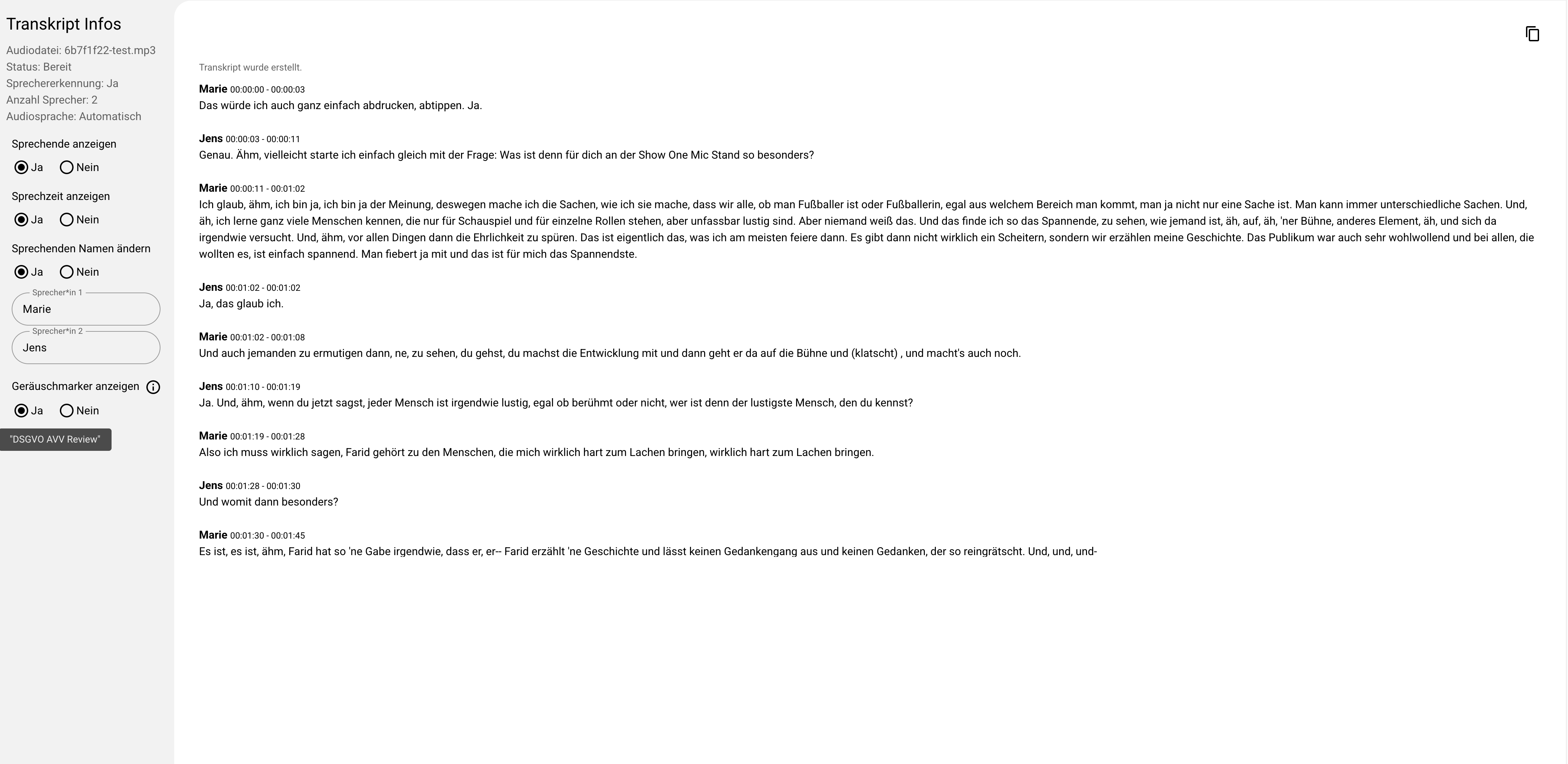
With speaker recognition:
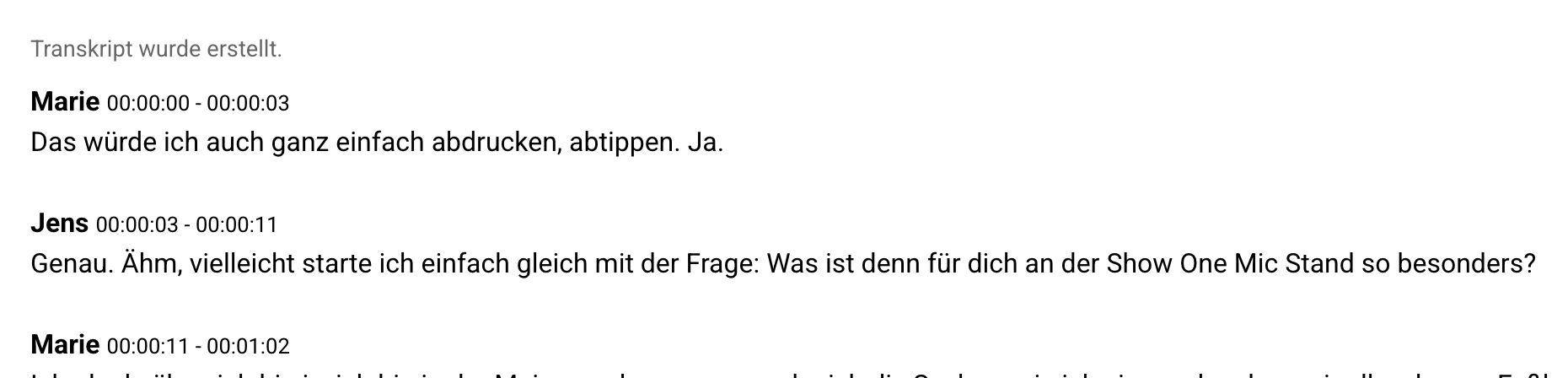
The text output is grouped according to the recognised speakers.
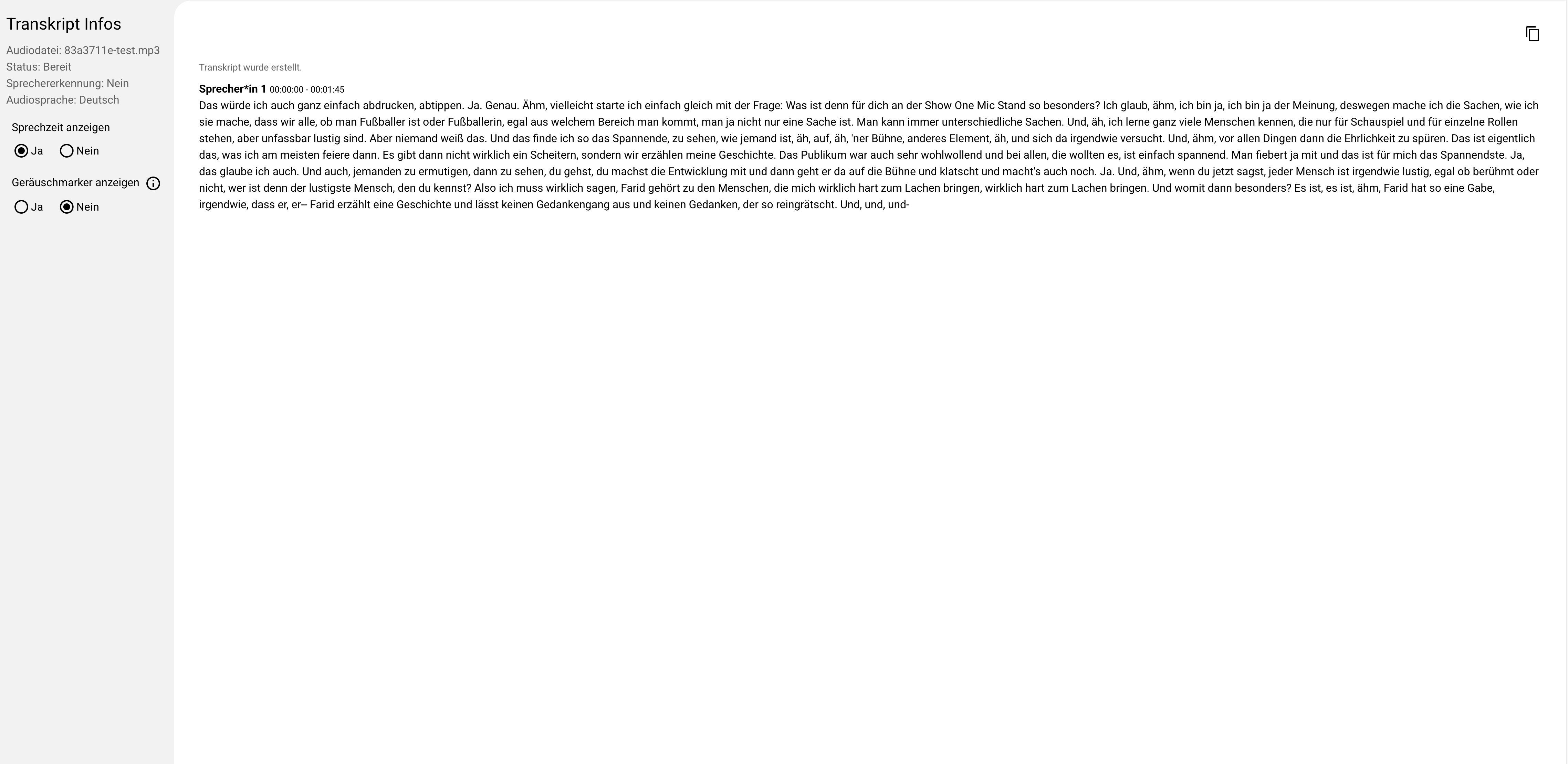
Without speaker recognition:
The text output is produced without grouping by speakers.
Further Processing
Corrections to the text can be made directly in AISSIST. The finished text can then be copied and further processed. Click the button in the upper right corner to do so.
Show Speakers
This function allows you to highlight the recognised speakers in the transcript.
Rename Speakers
You can change the names of the recognised speakers to make the transcription easier to follow.
Show Speaking Time
Displays the exact time at which each speaker spoke, to improve clarity.