English
🚀 Version 11.1
With version 11.1, AISSIST refines its image workflows – with an extended colour picker, flexible image formats, Flux Klein 9B and further small interface optimisations.
🎨 Use Case "Edit Image" – Extended Colour Picker, Format Adoption & Flux Klein 9B
In the "Edit Image" use case, you can now work even more consistently with colours and formats.
Highlights
- Extended Colour Picker
- Save frequently used colours
- Reuse saved colours, e.g. for corporate design tasks
- Format adoption from reference images
- Automatically adopt the aspect ratio of your reference image
- Generate new images in the exact same format
- New image model "Flux Klein 9B"
- Fast model for variants in high image quality
- Ideal for iterative work with many versions
Example from the "Edit Image" Workflow
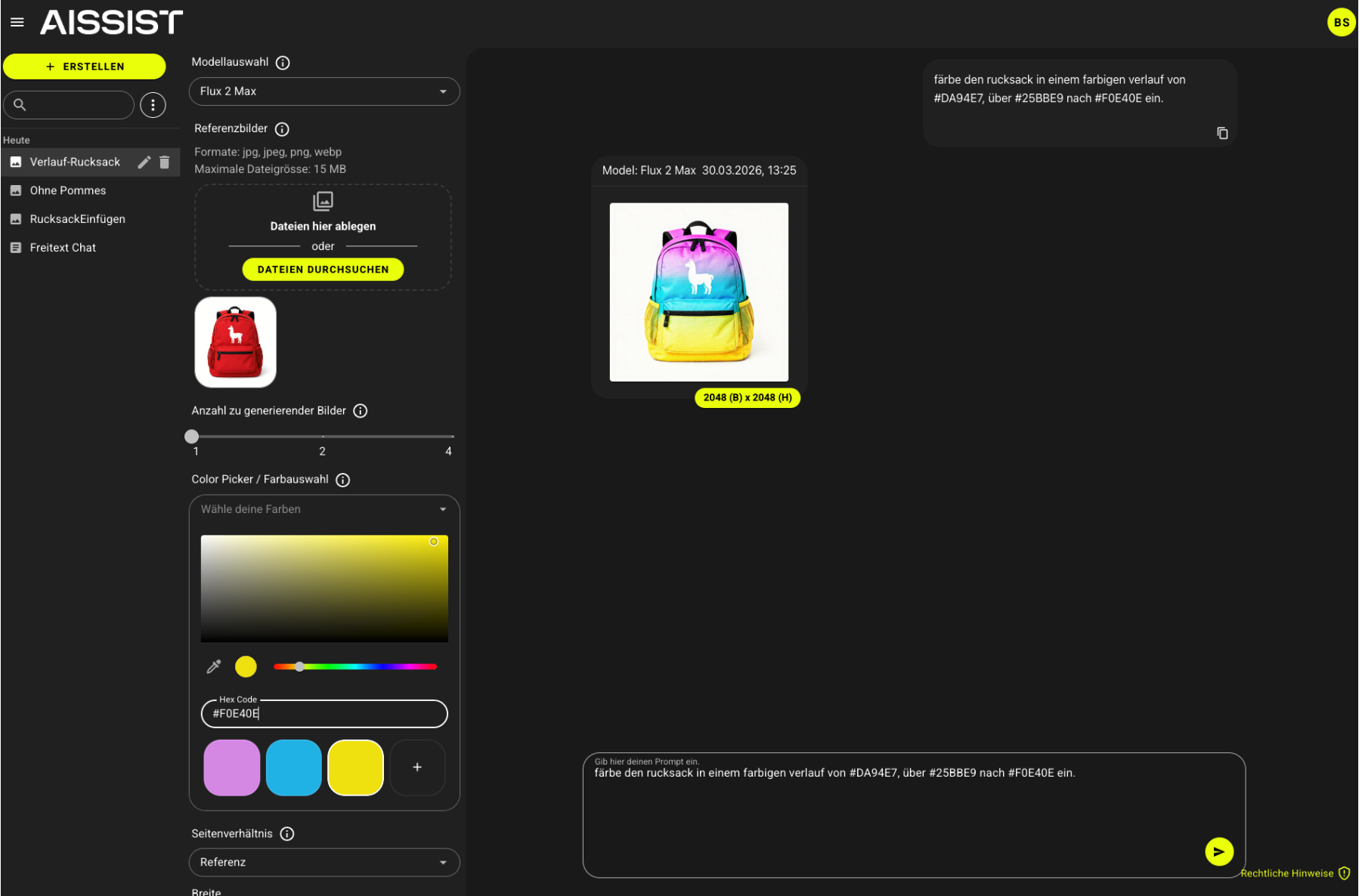
The colour picker in the editing workflow with saved colours, reference image and automatic format adoption.
✨ Use Case "Generate Image" – Colour Picker, Free Formats & Flux Klein 9B
The "Generate Image" use case has been significantly extended.
New Possibilities
- Colour picker also in the generate workflow
- Select colours via picker
- Save colours and retain them for recurring tasks
- Free image sizes and aspect ratios
- Define any image sizes
- Set individual aspect ratios
- Precise formats for your specific use cases (e.g. social media, print, web)
Flux Models in Use
- Full support of the new functions by the Flux image models
- Flux Klein 9B:
- Particularly fast
- High image quality
- Ideal for many variants and iterative image development
- Flux models are now usable in both "Generate Image" and "Edit Image".
Example from the "Generate Image" Workflow
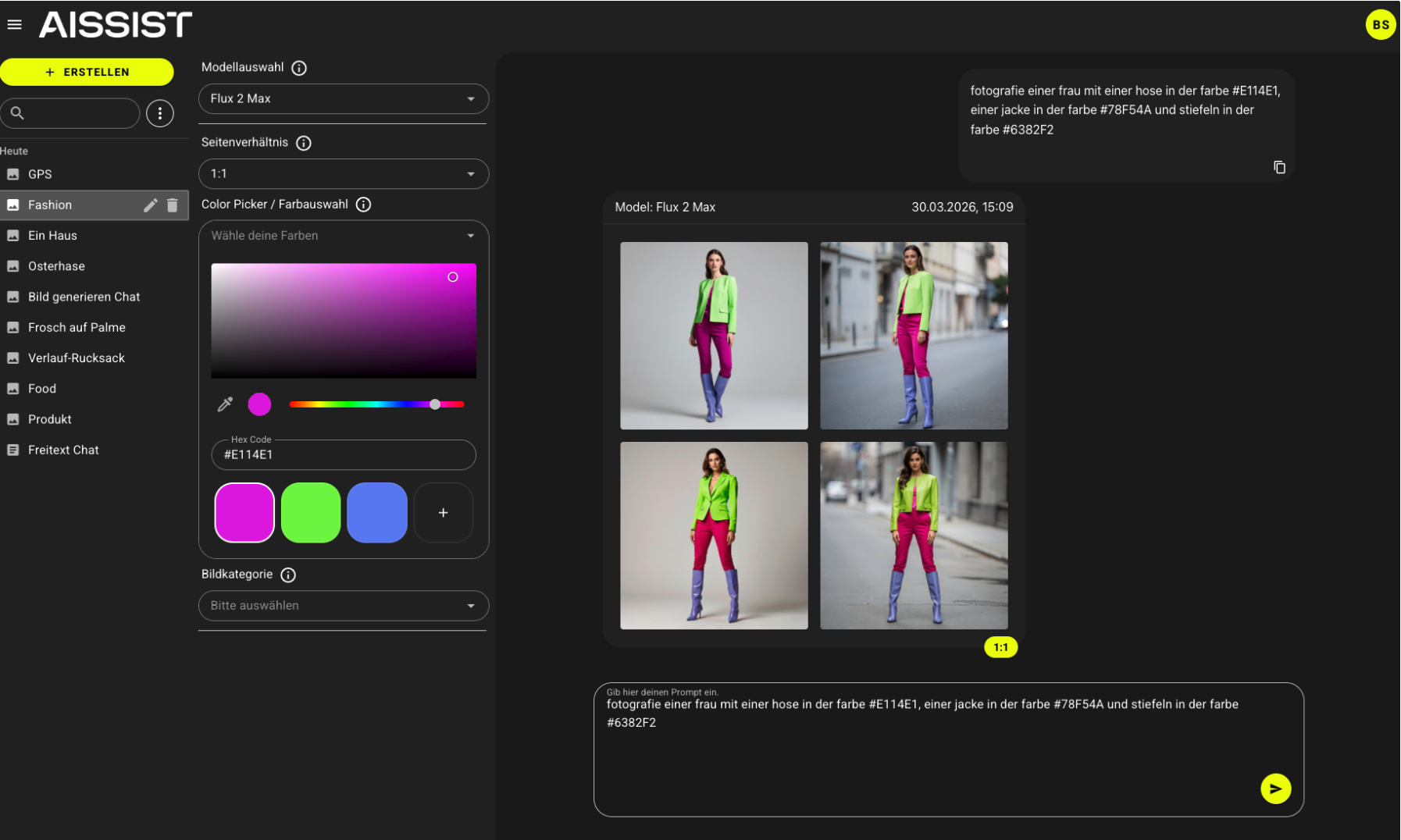
The generate workflow with colour picker, freely definable aspect ratio and Flux model selection.
💡 Fine-tuning in the Interface
In addition to the new image functions, various UI improvements have been implemented:
- Minor UI optimisations for better clarity
- Smoother user experience, particularly in the image use cases:
- Faster switching between settings
- More convenient switching between models
- Easier working with multiple variants